Resume the same download in TurboPull
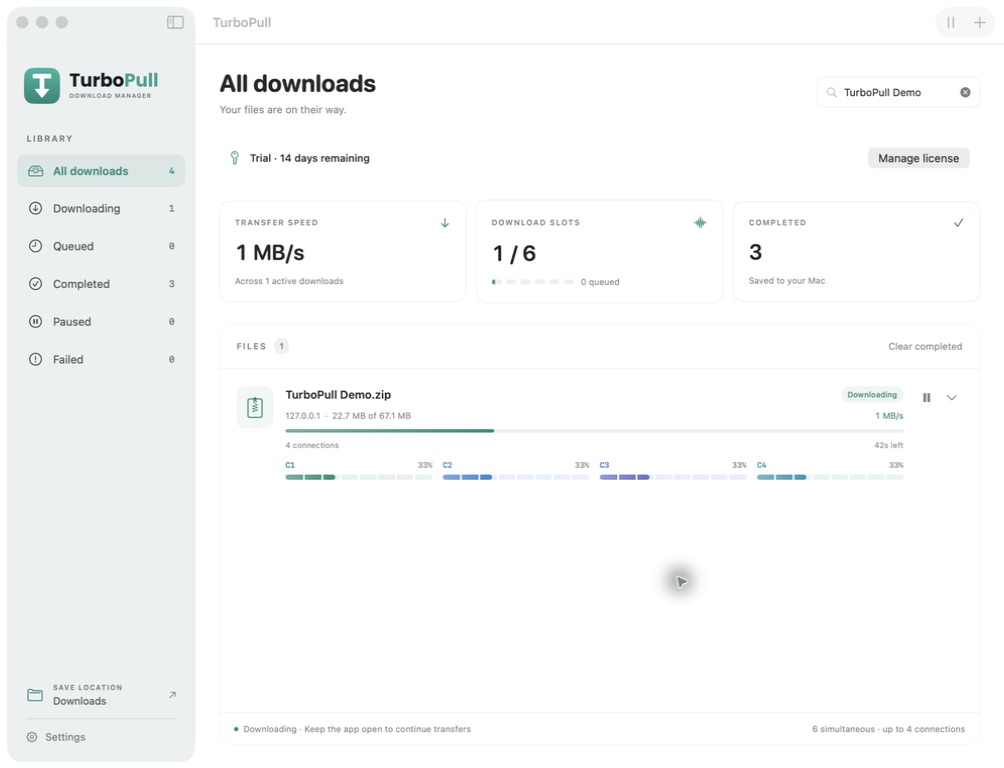
- Open your library. Find the paused or interrupted download you already added.
- Check the destination. Keep the original partial files in place, make sure the destination folder is available, and leave enough free disk space.
- Use the item’s Resume control. TurboPull checks the source and continues from saved progress when the server permits it.
- Keep the app open and your Mac awake. Wait until the item is marked completed before using the saved file.
Adding the URL again creates another download. Removing an unfinished item discards its partial files, so keep the original item if you want to resume it. TurboPull resumes downloads it manages; it does not import a browser’s partial download.
Why some downloads start over
Resuming depends on the source as well as the app. The server needs to accept requests for the remaining parts of the file and the original file must still be available.
- The source does not support resuming. Some servers only send a file from its beginning.
- The file changed. Old partial data may no longer match the new file. A fresh download avoids combining different versions.
- The link expired. Temporary download URLs can stop working. Obtain a fresh authorized link from the source; a new download may be needed.
- The saved parts are missing. Moved, deleted or unavailable partial files cannot be reused.
If a file repeatedly fails, check that the source link still opens, your connection is stable, and the destination has enough space. Keep an error message when contacting support, but remove private tokens from any URL you share.
Does downloading continue after sleep or quitting?
Downloads run while TurboPull is open and your Mac is awake. Quitting pauses active transfers. Reopen the app and resume them later; saved progress can be reused where the source allows it. Sleep can interrupt a transfer, so keep your Mac awake while a large file finishes.
What about video downloads?
Public video sources can use separate video and audio streams. The app may need to finish both and merge them before the final file is ready. Wait for the completed state in the library. Expired media URLs or platform changes can require inspecting the original public link again.
Only download content you own or have permission to save. Availability varies by link and platform. Private, DRM-protected and live content is not supported.
Choose connections separately from downloads
Parallel connections work on parts of one file. Simultaneous downloads are different items running at the same time. Increasing either setting cannot guarantee a faster transfer. Understand the two settings →